| What you are feeling | What to do about it |
|---|---|
| "Something feels off but I cannot say why." | Look for Pattern. Check whether color, spacing, and typeface repeat with intention throughout the design. Inconsistency is usually the culprit before you can name it. |
| "Nothing stands out. My eye does not know where to land." | Create Emphasis. Choose one element to be the most important. Make it larger, bolder, or more isolated than everything else. Then protect that hierarchy. |
| "It feels cluttered. Too much is happening at once." | Add Space. Remove one element. Then remove another. White space is not emptiness. It is the room the brain needs to process what remains. |
| "It feels lopsided. Something is unstable." | Check Balance. Look at the distribution of visual weight from left to right and top to bottom. Balance does not require symmetry. It requires intention. |
| "Parts feel disconnected. It does not hold together." | Apply Harmony. Limit your color palette to two or three colors. Limit your typefaces to two. Give every element at least one visual trait in common with the others. |
| "My eye just wanders. I do not know where to look next." | Direct Movement. Identify where the viewer should enter the design, where they should go next, and where they should finish. Then build a visual path that takes them there. |
| "It is hard to look at. Something is fighting something." | Adjust Contrast. Contrast should create interest, not tension. Check whether colors, sizes, or styles are competing rather than complementing each other. |
| "Things feel the wrong size. Too big or too small." | Fix Proportion. The most important element should be the most prominent. Apply the golden ratio (1:1.618) as a guide for sizing elements in relation to each other. |
| "It looks cheap or unprofessional." | Audit all three: Pattern, Contrast, and Space. Most designs that feel cheap are missing at least two of these. Consistent spacing, readable contrast, and intentional repetition signal quality. |
| "The colors feel wrong. They do not belong together." | Use a Color System. Do not choose colors by feel alone. Use the color wheel. Complementary, analogous, or triadic palettes give you colors that are mathematically designed to work together. |
| "It looks flat. There is no depth or life to it." | Introduce Value. Add subtle shadow, contrast between light and dark areas, or overlapping elements. Value is what separates a flat graphic from something that feels real and dimensional. |
| "I do not know what this is for or who it is for." | Clarify with Emphasis and Contrast. A design that communicates its purpose quickly uses one dominant element to answer the question immediately. If that element is missing, the viewer gives up before reading further. |
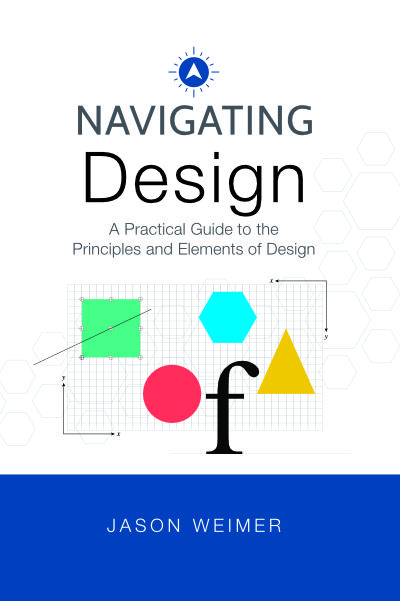
A Practical Guide to the Principles and Elements of Design, by Jason Weimer
Jason writes occasionally about design literacy, education, and the ideas behind his work. When Design Sense adds new features or content, you will hear about it too. No noise. Just things worth reading.
A Practical Guide to the Principles and Elements of Design, by Jason Weimer
Design principles do not operate in isolation. Every design involves multiple principles working simultaneously. Understanding which principles reinforce each other, and which create productive tension, is the difference between knowing what each principle means and knowing how to use them together.
A Practical Guide to the Principles and Elements of Design, by Jason Weimer
It is about knowing how to see.
Every person in every organization makes design decisions. You choose a font for a presentation. You approve a logo. You arrange a room. You post on social media. You select a template for a proposal. Whether you realize it or not, you are designing, and the quality of those decisions has a direct impact on how your organization is perceived, trusted, and remembered.
Design literacy is the ability to recognize, evaluate, and communicate about design. It does not require software skills or a design degree. It requires a working knowledge of the principles and elements that govern all visual communication, the same 14 fundamentals covered in this tool.
In most organizations, design decisions are made by people who have never studied design. Marketing managers approve brand materials. Leaders choose presentation templates. Office managers select furniture and layout. Teachers arrange classrooms. None of these people are designers. All of them are making design decisions daily. Design literacy closes the gap between the decision and the knowledge needed to make it well.
When you understand that a cluttered slide violates the principle of Space, you can fix it. When you recognize that a logo feels unstable because of Balance, you can articulate the problem to a designer. When you sense that a room feels disconnected because it lacks Harmony, you know where to start. The vocabulary changes everything.
Design literacy also matters in the age of AI-generated design. When a tool generates twelve logo options in seconds, your ability to choose well, or to give better direction on the next prompt, depends entirely on your design vocabulary. AI can produce the design. Only you can evaluate whether it is right. The person with design literacy makes better decisions every time. The person without it guesses.
The seven principles and seven elements in this tool are not relics of an analog era. They are the unchanging grammar of visual communication. They were true before Gutenberg's printing press in 1439. They are true today. They will be true long after whatever technology comes next. Fundamentals do not expire.
Navigating Design was written for everyone who works in an organization, leaders, managers, educators, entrepreneurs, and office staff, who wants to make better decisions about the design they commission, approve, and use every day. Start with what you feel. Learn what it means. Apply it. The rest follows.
A Practical Guide to the Principles and Elements of Design, by Jason Weimer
The gestalt principles were developed in the early 20th century by German psychologists studying why humans naturally seek to create order from disorder. The word gestalt means "unified whole." These principles explain the relationship between what the eye sees and what the mind perceives, and they are essential knowledge for anyone who creates, commissions, or evaluates design.
| Gestalt Principle | Reinforces | Why they connect |
|---|---|---|
| Proximity | HarmonyPattern | When elements are placed close together, they are perceived as a group. This is the spatial foundation of harmony. Repeating that grouping behavior throughout a design creates pattern. |
| Similarity | PatternHarmony | Shared color, shape, and size signal belonging. This is what pattern is built from. Applying similarity consistently across a design is the mechanism by which harmony is achieved. |
| Continuity | Movement / Rhythm | The eye prefers to follow a smooth, uninterrupted path. This is the perceptual basis of movement. Designs that create visual paths are applying continuity to direct the viewer's journey. |
| Closure | EmphasisShape | The brain completes incomplete shapes, filling in the missing information. Designers use this to create focal points from minimal elements, and to design shapes that are memorable precisely because they require completion. |
| Figure / Ground | ContrastSpace | Separating subject from background depends entirely on contrast in value, color, or texture. Space is the ground. What fills it is the figure. The more clearly the two are separated, the stronger the contrast. |
| Common Region | HarmonySpace | A shared boundary groups elements more powerfully than proximity alone. This is how space is used to create harmony: containing related elements within a defined region communicates that they belong together. |
| Symmetry & Order | BalancePattern | The brain's preference for symmetry is the perceptual foundation of balance. Repeated symmetrical structures create pattern. Deliberate asymmetry within an ordered system creates visual energy while maintaining balance. |
| Prägnanz | EmphasisProportion / Scale | The brain simplifies to the most essential form. This is what emphasis does: it reduces complexity to the one thing that matters. Proportion governs how simple or complex a form appears at a given scale. |
It generates. It does not perceive.
AI design tools are trained on existing design output. They are excellent at reproducing the surface characteristics of good design: the right color combinations, the right type pairings, the right compositional proportions. But they have no perceptual system. They do not see through the eyes of the person who will look at the result.
The gestalt principles describe how human perception works. They are not style rules. They are cognitive laws. An AI tool cannot apply them from the inside because it has no inside. It can produce outputs that appear to follow them by pattern matching, but it cannot feel the dissonance of a figure/ground relationship that almost works, or the restlessness of a composition that lacks continuity.
This is where your design literacy becomes the deciding factor. You are the human in the loop. You are the one who will feel whether the design works before you can name why. Gestalt principles give you the vocabulary to name it, and the framework to fix it.
These are the gestalt violations most commonly found in AI-generated design:
Knowing these patterns means you know what to look for when evaluating AI output. You are not guessing. You are applying a perceptual system that the tool does not have. That is design literacy in practice.
A Practical Guide to the Principles and Elements of Design, by Jason Weimer
Most people who work in organizations make design decisions every day. They approve a logo, choose a slide template, arrange a room, or post on social media. But almost none of them have ever studied design. Navigating Design was written for them.
This is not a book about software. It is not a book for designers. It is a practical guide to the vocabulary and fundamentals of design, the seven principles and seven elements that govern all visual communication. Once you understand them, you will never look at design the same way again.
You already feel design. This book teaches you to name what you feel, and to do something about it.

A Practical Guide to the Principles and Elements of Design — by Jason Weimer